for Estimatis 1.0 – DlhSoft, 2020
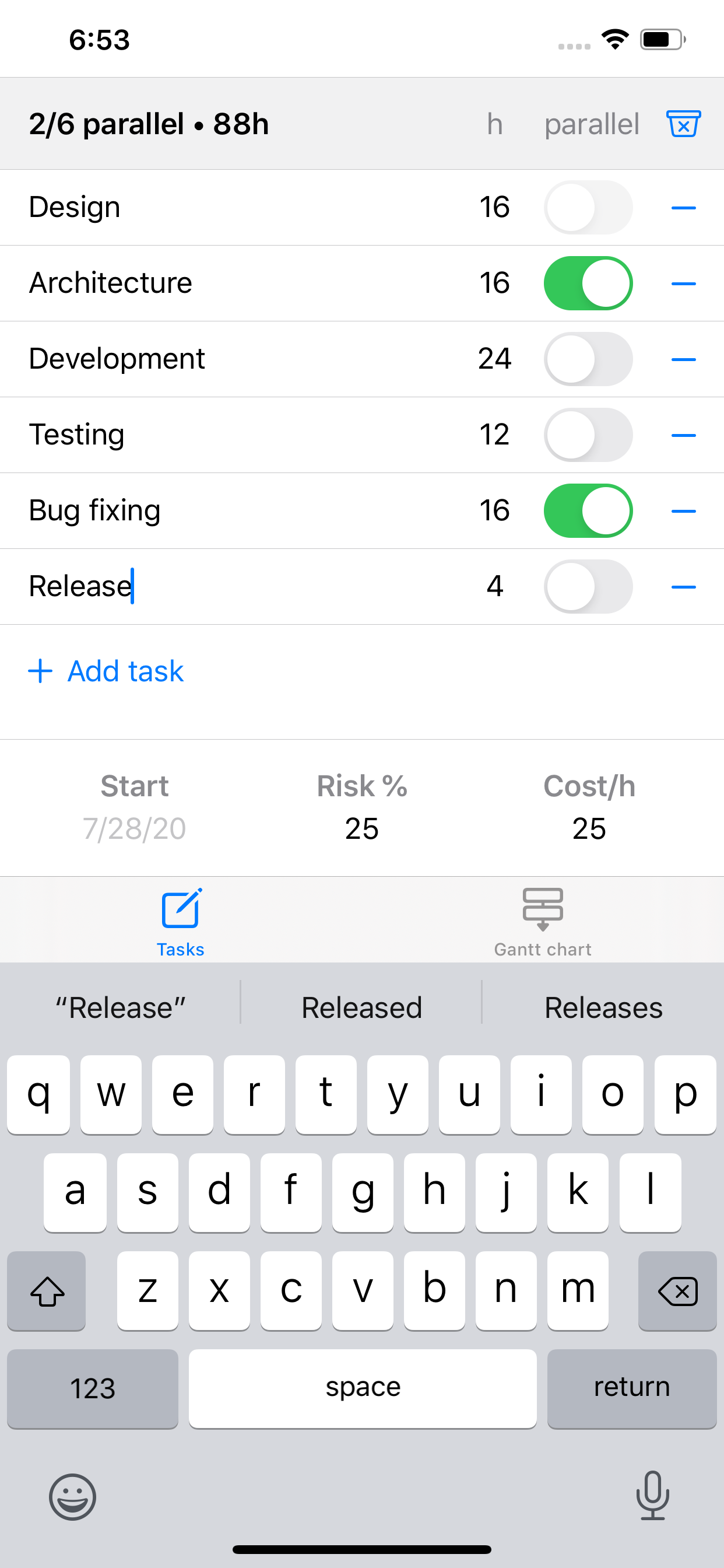
Estimatis allows you to easily estimate new projects defined as lists of work items (also known as tasks), their expected effort (in hours), and known parallelizability information.
To add and remove tasks you can use Add (plus) and Remove (minus) buttons from the Tasks tab.
For added tasks in the ordered list you may enter their:
Optionally, you may specify the start date of the project (by default it is assumed to be the next working day), an internal risk percent (that would supplementary delay the project without increasing billable hours), and a cost rate.
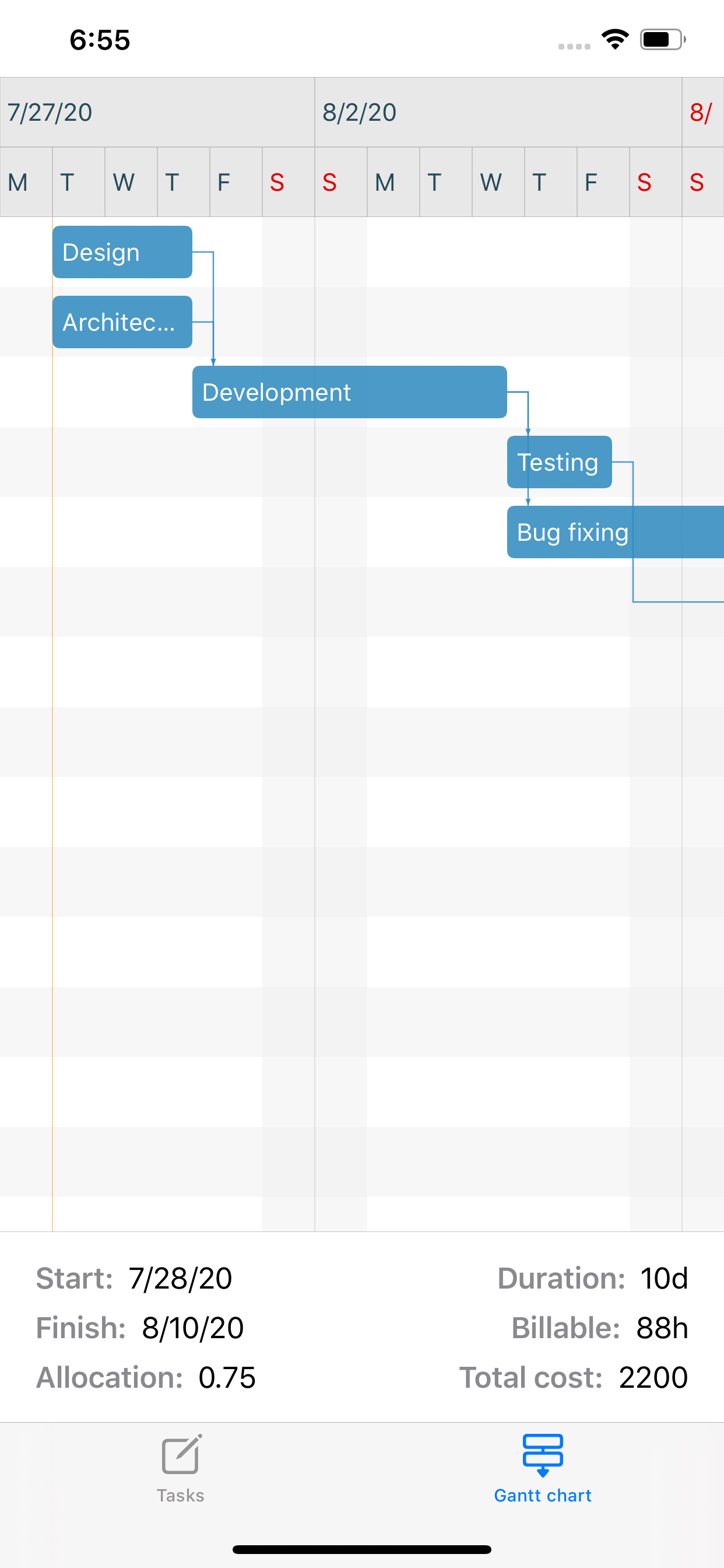
The Gantt chart tab presents the results of the estimation. Task bars in the scrollable chart are set up based on your effort values, and dependencies are created between them according to the parallelizability information you have provided.
At the bottom of the screen you will also have these values displayed:
Note that you can copy the estimation values to clipboard (and from there to any application of your choice) by using the Copy estimation values command from the context menu of the section.